CMYK vs RGB: The Complete Guide to Color Modes for Print and Digital
· Coloracci Team
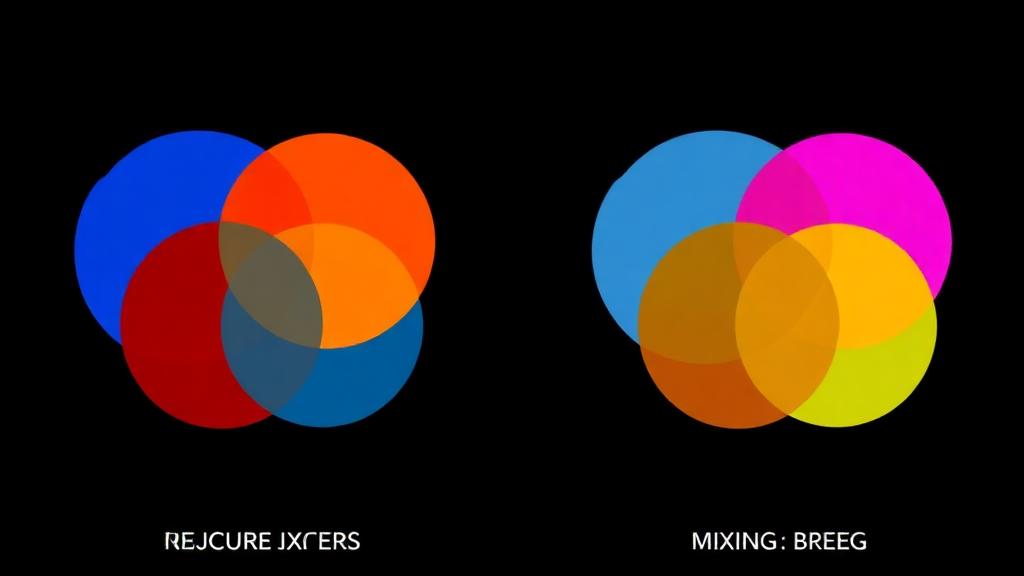
The Fundamental Difference
RGB and CMYK are not just different ways of writing colors—they're fundamentally different approaches to creating color, based on the physics of light.
Understanding this distinction is essential for every designer, photographer, and content creator. Choosing the wrong mode leads to muddy prints, dull web graphics, and frustrated clients.
Additive Color: RGB
RGB (Red, Green, Blue) is additive color mixing. You start with darkness and add light.
How It Works
Your screen contains millions of tiny pixels, each with red, green, and blue sub-pixels. By varying the intensity of each (0-255), every visible color can be produced:
- Red + Green = Yellow
- Red + Blue = Magenta
- Green + Blue = Cyan
- Red + Green + Blue = White
- No light = Black
Key Characteristics
- Medium: Screens, projectors, digital displays
- Range: 0-255 per channel (16.7 million combinations)
- White: All channels at maximum (255, 255, 255)
- Black: All channels at zero (0, 0, 0)
- Gamut: Larger than CMYK—more vibrant colors possible
Common RGB Values
| Color | R | G | B | Hex |
|---|---|---|---|---|
| Pure Red | 255 | 0 | 0 | #FF0000 |
| Pure Green | 0 | 255 | 0 | #00FF00 |
| Pure Blue | 0 | 0 | 255 | #0000FF |
| Coral | 255 | 127 | 80 | #FF7F50 |
| Teal | 0 | 128 | 128 | #008080 |
| Gold | 255 | 215 | 0 | #FFD700 |
Subtractive Color: CMYK
CMYK (Cyan, Magenta, Yellow, Key/Black) is subtractive color mixing. You start with white (paper) and subtract light using ink.
How It Works
Each ink absorbs certain wavelengths of light:
- Cyan absorbs red light, reflects green and blue
- Magenta absorbs green light, reflects red and blue
- Yellow absorbs blue light, reflects red and green
- Key (Black) absorbs all light
In theory, CMY at 100% would produce black. In practice, ink impurities create a muddy brown, so black (K) ink is added separately.
Key Characteristics
- Medium: Printing (offset, digital, inkjet)
- Range: 0-100% per channel
- White: No ink (paper shows through)
- Black: K at 100% (or rich black with CMY added)
- Gamut: Smaller than RGB—some colors cannot be printed
Common CMYK Values
| Color | C | M | Y | K |
|---|---|---|---|---|
| Process Red | 0 | 100 | 100 | 0 |
| Process Blue | 100 | 100 | 0 | 0 |
| Forest Green | 80 | 0 | 80 | 40 |
| Rich Black | 60 | 40 | 40 | 100 |
| Warm Gray | 0 | 5 | 10 | 30 |
When to Use Each Mode
Use RGB When:
- Designing for screens: websites, apps, social media
- Creating digital video content
- Working with photography for online use
- Making presentations displayed on projectors
- Designing for digital advertising (banner ads, email)
- Creating UI/UX designs in Figma, Sketch, or XD
Use CMYK When:
- Designing for offset printing: brochures, posters, packaging
- Creating business cards and stationery
- Designing book covers and interior pages
- Working on signage and banners
- Creating product packaging and labels
- Any project going to a commercial printer
The Gray Area
Some projects span both:
- Brand guidelines: Define colors in both modes
- Social media + print marketing: Create in RGB, convert to CMYK for print
- E-commerce: Product photos (RGB for web, CMYK for catalog)
Why Colors Shift During Conversion
Converting from RGB to CMYK inevitably changes some colors because CMYK's gamut is smaller. Colors that exist in RGB but not in CMYK are "out of gamut."
Most Affected Colors
| RGB Color | Hex | CMYK Result | What Happens |
|---|---|---|---|
| Electric Blue | #0066FF |
C:80 M:55 Y:0 K:0 |
Shifts purple |
| Neon Green | #39FF14 |
Can't reproduce | Dramatically duller |
| Hot Pink | #FF69B4 |
C:0 M:58 Y:0 K:0 |
Loses vibrancy |
| Bright Orange | #FF4500 |
C:0 M:73 Y:100 K:0 |
Slightly muted |
| Deep Violet | #8B00FF |
C:68 M:90 Y:0 K:0 |
Shifts reddish |
Least Affected Colors
- Earth tones and muted colors
- Pastels and light tints
- Warm neutrals (beige, cream, tan)
- Colors with lower saturation
Gamut Visualization
Imagine the RGB gamut as a large triangle and the CMYK gamut as a smaller triangle inside it. The areas outside the smaller triangle are unprintable colors.
Most problematic: vibrant blues, greens, and violets. Safest: reds, oranges, yellows, and most earth tones.
The Hex/HSL/HSB Connection
Hex codes and HSL are different notations for RGB color:
- Hex:
#3B82F6= shorthand for RGB (59, 130, 246) - HSL: Hue 217°, Saturation 91%, Lightness 60%
- HSB/HSV: Hue 217°, Saturation 76%, Brightness 96%
All three describe the same RGB color, just in different formats. None are CMYK—they must be converted for print. For a deep dive into conversions, see our hex to RGB to HSL conversion guide.
Practical Conversion Workflow
Step 1: Design Intentionally
If your project is for print, start in CMYK. If it might be both, start in RGB and plan for conversion.
Step 2: Identify Critical Colors
Flag any brand colors, feature colors, or hero elements that must look perfect in print.
Step 3: Check Gamut Before Converting
In Photoshop: View → Gamut Warning shows out-of-gamut areas in gray overlay. Adjust these manually before bulk conversion.
Step 4: Convert Using the Right Method
- Photoshop: Edit → Convert to Profile → target CMYK profile
- Illustrator: File → Document Color Mode → CMYK
- InDesign: Start in CMYK mode from the beginning
Step 5: Rendering Intent
Choose how out-of-gamut colors are handled:
| Intent | Best For |
|---|---|
| Relative Colorimetric | Preserving most colors accurately; shifts only out-of-gamut colors |
| Perceptual | Photographs; shifts all colors proportionally to fit gamut |
| Saturation | Charts and infographics; maximizes saturation |
| Absolute Colorimetric | Proofing; simulates paper white |
Step 6: Verify and Adjust
After conversion, visually compare key elements. Manually tweak CMYK values for critical colors that didn't convert well.
CMYK for Packaging
Packaging introduces additional considerations:
- Flexographic printing uses different CMYK profiles than offset
- Total ink limits vary (typically 260-300% for flexo, 320-340% for offset)
- Substrate matters: Printing on kraft paper, film, or foil all require different approaches
- Spot colors are common in packaging for brand consistency and special effects (metallic, fluorescent)
Quick Reference: Color Mode Cheat Sheet
| Question | Answer |
|---|---|
| Designing a website? | RGB |
| Designing a business card? | CMYK |
| Social media graphic? | RGB |
| Product label? | CMYK (+ spot colors) |
| PowerPoint presentation? | RGB |
| Magazine advertisement? | CMYK |
| App icon? | RGB |
| Billboard? | CMYK |
| Email newsletter? | RGB |
| Wedding invitation? | CMYK |
Start with the Right Colors
Whether you're designing for screens or print, it starts with choosing the right palette. Use Coloracci's AI palette generator to explore beautiful color combinations, then confidently convert them to whatever mode your project requires.
Understanding color wheel theory ensures your palette works harmoniously in any medium—digital or physical.